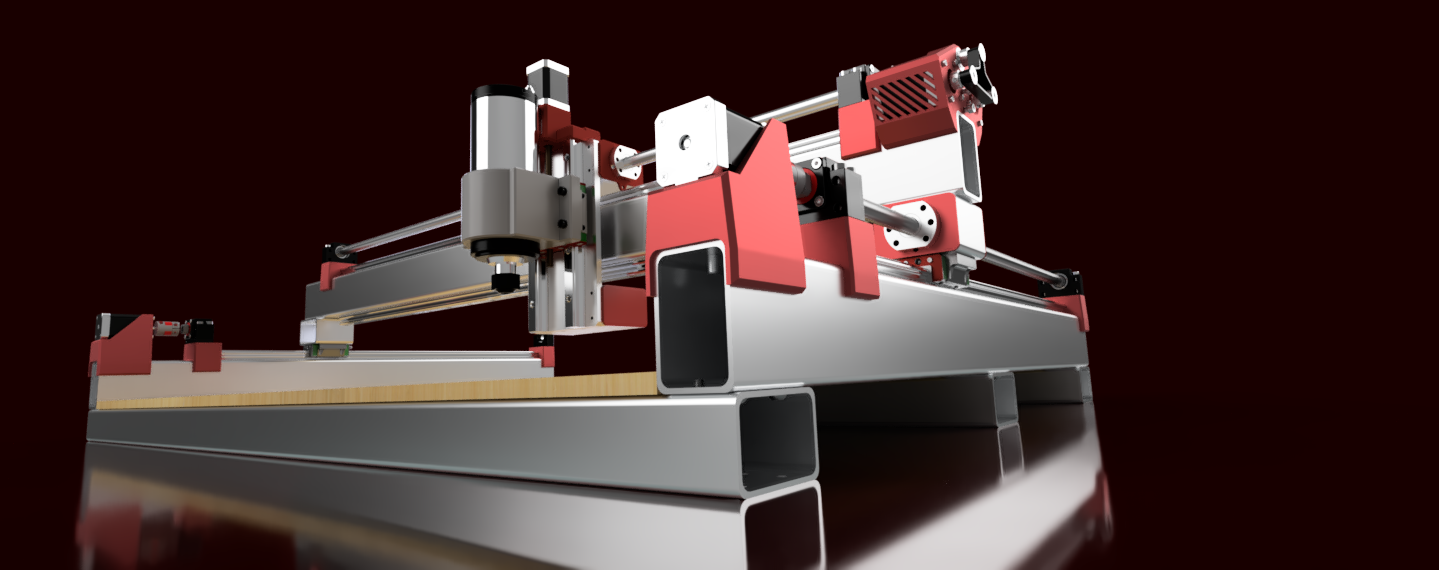
MPCNC vs PrintNC — When Rigidity Wins and When Accessibility Does
If you've narrowed it down to these two, you're asking the right question: do I want the cheapest capable CNC or the stiffest capable CNC? These two machines sit at opposite ends of the hobbyist CNC spectrum, and the difference is both philosophical and physical.
Table of Contents
- The Fundamental Difference: Conduit vs. Steel Tube
- Comparing at Equivalent Work Areas
- The 600×600mm Aluminum Test
- Cost Reality: Full Machine Pricing
- The Community & Documentation Argument
- The Upgrade Path Argument
- When MPCNC Wins Decisively
- When PrintNC Wins Decisively
- Material Suitability Matrix
- The Honest Recommendation
- Verdict
- Shop This Guide
- Related Articles
If you've narrowed it down to these two, you're asking the right question: do I want the cheapest capable CNC or the stiffest capable CNC? These two machines sit at opposite ends of the hobbyist CNC spectrum, and the difference is both philosophical and physical.
MPCNC optimizes for accessibility: lowest cost, simplest build, biggest community, clearest docs. PrintNC optimizes for rigidity: aluminum capability, surface finish, repeatability. Pick based on materials and tolerance, not sentiment.
The Fundamental Difference: Conduit vs. Steel Tube
This is where everything diverges.
MPCNC uses aluminum conduit (EMT electrical conduit or similar). Conduit is:
- Cheap (~$1–2 per foot)
- Light
- Non-critical tolerance (it's electrical, not precision)
- Adequate in a small footprint
PrintNC uses steel tube (typically 25–40mm with 0.065" wall). Steel tube is:
- More expensive (~$2–4 per foot)
- Heavier (stiffer at the same diameter)
- Tighter tolerances available (precision-grade)
- Dramatically stiffer at larger spans
The physics: stiffness scales with wall thickness and diameter cubed. A 1mm-wall aluminum tube has about 1/10th the stiffness of a 2mm-wall steel tube at the same outside diameter. At 600×600mm work area, this starts to matter. At 300×300mm, MPCNC is adequate.
Comparing at Equivalent Work Areas
Let's be honest: MPCNC at 600×600mm vs. PrintNC at 300×300mm.
| Aspect | MPCNC 600×600 | PrintNC 300×300 |
|---|---|---|
| Frame Material | Aluminum conduit, EMT | Steel 25×25mm 0.065" wall |
| Rail System | V-wheels on conduit or rod bearings | MGN12/15 ballscrew rails |
| Spindle | Makita RT0701C (Trim router) | 800W–1.5kW VFD spindle |
| Motors | NEMA23 (typical for 600 build) | NEMA23 (required) |
| Build Cost | $500–700 | $800–1,100 |
| Z-Axis Stiffness | Good (lighter load) | Excellent (ballscrew design) |
| XY Stiffness | Adequate | Very good |
| Precision (achievable) | ±0.5–1mm | ±0.1–0.2mm |
| Aluminum capability | 0.5mm depth, very slow, risky | 1–2mm depth, controlled, reliable |
| Surface finish (aluminum) | Rough, chatter marks | Clean, burnished |
| Best use case | Wood, acrylic, learning | Aluminum, precision parts |
The reality: PrintNC at smaller size is stiffer than MPCNC at larger size. You're not just trading cost for capability; you're trading work area for rigidity.
The 600×600mm Aluminum Test
Here's where the difference becomes visceral. Can MPCNC mill aluminum at 600×600mm?
Technically, yes. Practically:
- Depth of cut: 0.5mm maximum (less than 0.020")
- Feed rate: 30–40 mm/min (glacial)
- Surface finish: variable (depends on deflection that day)
- Chatter marks: visible
- Repeatability: ±1mm if you're careful
- Tool breakage risk: elevated
You can make it work. You're not going to enjoy it.
Can PrintNC mill aluminum at 300×300mm?
Absolutely, confidently:
- Depth of cut: 1–2mm (real cutting)
- Feed rate: 100–150 mm/min (productive)
- Surface finish: excellent (burnished aluminum)
- Chatter: minimal
- Repeatability: ±0.05–0.1mm
- Tool life: normal
The difference is whether you're making production parts or experimenting.
Cost Reality: Full Machine Pricing
MPCNC 600×600mm Complete:
- Frame kit/sourcing: $450–600
- Makita spindle: $95–120
- Controller (GRBL): $50–80
- Bits, PSU, misc: $50
- Total: $645–850 (usually ~$750)
PrintNC 300×300mm Complete:
- Steel tube & fasteners: $200–300
- MGN rails (12×3): $250–350
- Ballscrews & nuts: $100–150
- NEMA23 motors (×4): $120–160
- 800W spindle & mount: $120–150
- Controller (FluidNC): $50–80
- Assembly time (100+ hours): free but your time
- Total: $840–1,190 (usually ~$1,000)
Cost difference: $250–300 more for PrintNC. Capability difference: 10× in rigidity, 5× in surface finish quality, 20× in user satisfaction if you care about aluminum.
The Community & Documentation Argument
MPCNC:
- V1 Engineering wiki is polished, step-by-step
- CNC Zone forum has thousands of MPCNC discussions
- YouTube: hundreds of complete builds
- If you're stuck, someone has answered it before
- Beginner-friendly tone throughout
PrintNC:
- Discord is primary documentation
- Fewer written guides; more "ask the community"
- YouTube: Topology Drive has good build series
- Very responsive community (they answer in real time)
- Assumes some mechanical confidence
This is real friction if you need structured learning. It's no friction if you're comfortable asking questions and learning from peer discussion. Many PrintNC builders came from MPCNC or PrintNC family and already have CNC intuition.
The Upgrade Path Argument
Some builders do MPCNC → PrintNC progression. The argument: start cheap, learn on MPCNC, then build PrintNC when you understand what rigidity costs.
This is valid. MPCNC is a good learning machine. If your work is small and you know you'll want aluminum eventually, it's a reasonable stepping stone.
But it's also 200+ hours of building. If you know you want aluminum precision, building PrintNC once saves you the redundant build.
When MPCNC Wins Decisively
- First CNC build: cost and confidence matter equally
- Work is primarily wood/acrylic/foam: MPCNC is perfectly adequate
- Work area under 500×500mm is fine: you don't need PrintNC size
- Biggest available community is important: MPCNC community is larger
- Budget is hard constraint under $700: PrintNC won't fit
- You want the most documented learning path: MPCNC wiki is superior
When PrintNC Wins Decisively
- Aluminum is your primary material: MPCNC struggles
- Precision under 1mm is non-negotiable: MPCNC ceiling is ~0.5mm
- You've built something before: less need for hand-holding docs
- Surface finish quality matters: MPCNC leaves chatter, PrintNC doesn't
- You want to maximize tool life: less breakage, less stress on bits
- You're willing to trade work area for rigidity: smaller PrintNC is stiffer than larger MPCNC
Material Suitability Matrix
| Material | MPCNC 600 | PrintNC 300 | Winner |
|---|---|---|---|
| Wood (soft) | Excellent | Good (overkill) | MPCNC (adequate, cheaper) |
| Hardwood | Good | Excellent | PrintNC (better finish) |
| Plywood | Good | Okay | MPCNC (larger area) |
| Acrylic | Excellent | Good (overkill) | MPCNC (adequate) |
| MDF | Excellent | Good (overkill) | MPCNC (adequate) |
| Aluminum | Barely (risky) | Excellent | PrintNC (by far) |
| Delrin/Acetal | Good | Excellent | PrintNC (better finish) |
| Brass | Okay | Good | PrintNC |
| Soft composites | Good | Excellent | PrintNC |
Bottom line: wood and acrylic → MPCNC is enough. Anything harder than acrylic or aluminum → PrintNC.
The Honest Recommendation
Choose MPCNC if:
- Your work is wood, acrylic, foam, MDF
- You're new to CNC and want lowest cost + biggest community
- Work area of 500×500mm is sufficient
- Budget is under $800
Choose PrintNC if:
- Aluminum is part of your work
- Precision under 0.5mm matters
- Surface finish quality is important
- You have some mechanical experience
- You're okay learning from Discord vs. wiki
- You've outgrown MPCNC or want to skip the stepping stone
Verdict
MPCNC is the best entry-level CNC for its price and community. PrintNC is the best rigid small-format machine for aluminum. They're not really competing—they serve different needs.
If you're genuinely torn, ask: "Will I cut aluminum in the next year?" If yes, PrintNC saves you time and frustration. If no, MPCNC is the faster, cheaper path to useful cuts.
Shop This Guide
| Component | MPCNC | PrintNC |
|---|---|---|
| Frame | V1 Engineering kit → | Steel tube (local) + AliExpress rails |
| Spindle | Makita RT0701C → | 800W VFD Spindle → |
| Motors | StepperOnline NEMA23 → | StepperOnline NEMA23 (×4) → |
| Controller | Any GRBL board (~$50–100) | FluidNC ESP32 → |
| Rails/Drive | V-wheels or linear upgrade | MGN12 sets → + RM1605 ballscrews → |