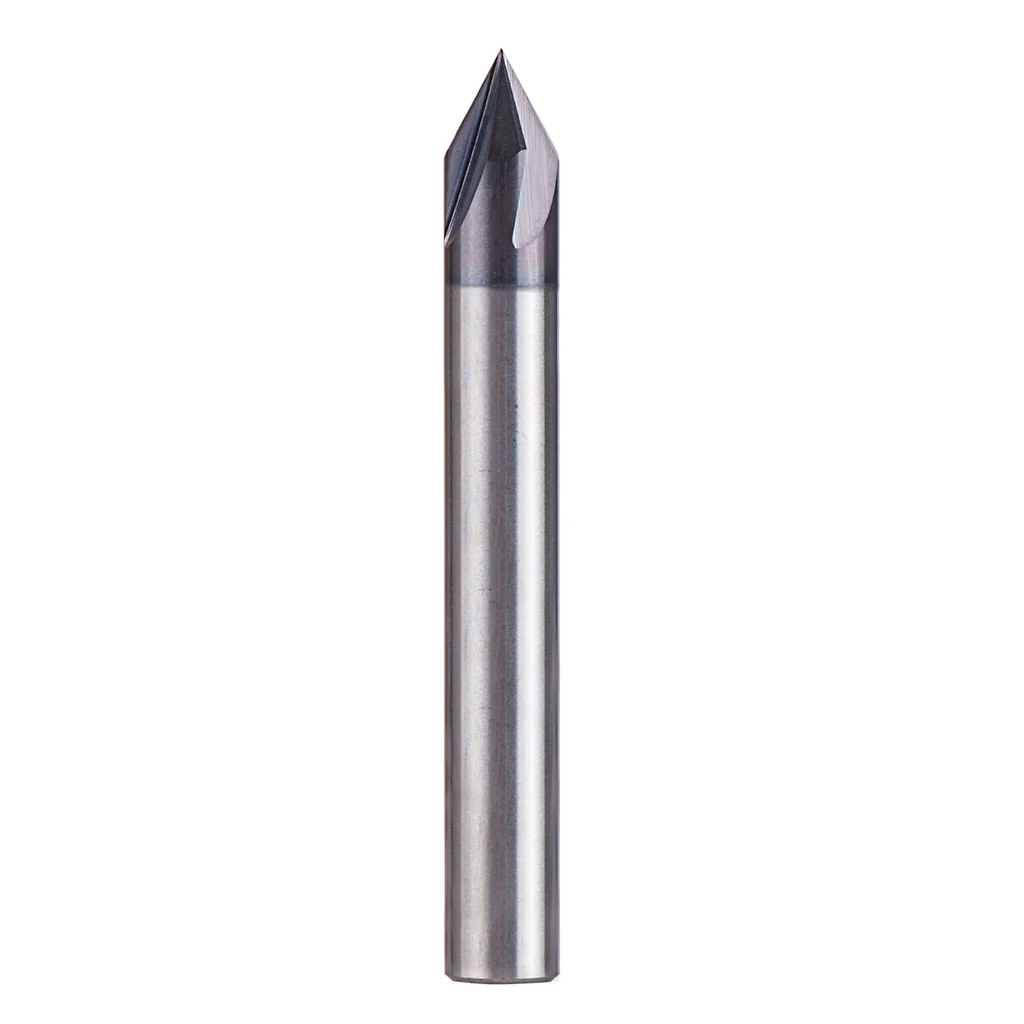
V-Bits for CNC Routers: The Complete Guide to Angles, Cuts, and Quality
Keywords: V-bit CNC router guide, 60 vs 90 degree V-bit, best V-bits hobby CNC, V-carving guide
Table of Contents
- What V-Bits Actually Do (And Why Angle Matters)
- The Angles: 30°, 45°, 60°, 90°, and 120°
- Tip Radius and Its Impact
- The Included Angle Problem: Quality Matters
- Carbide vs HSS
- V-Carving Toolpath Basics
- Material Recommendations by Angle
- Speeds and Feeds for V-Bits
- The V-Carving Simulation Workflow
- Ball Nose vs V-Bit Confusion
- Real-World Tip Quality Test
- What We'd Buy
- Shop This Guide
- Related Articles
Slug: /guides/v-bits-cnc-router-guide/
Read time: 7 min
Keywords: V-bit CNC router guide, 60 vs 90 degree V-bit, best V-bits hobby CNC, V-carving guide
What V-Bits Actually Do (And Why Angle Matters)
A V-bit creates a V-shaped groove. The depth of the cut varies with the width you want—this is why they exist.
Unlike a straight bit (which cuts at a constant depth), a V-bit can create grooves that get deeper as they get wider, all from a single toolpath. This is the magic of V-carving.
The included angle determines the character of the groove and limits what you can do with it.
The Angles: 30°, 45°, 60°, 90°, and 120°
30°: Extreme fine detail, very sharp V-grooves, but the tip is fragile
- Best for: Ultra-fine text, decorative line work, inlay
- Limitation: Minimum line width is very small; one mistake ruins it
- Real-world frequency: Rarely used; most people start with 60° or 90°
45°: Fine detail with slightly more margin for error
- Best for: Detailed text, decorative carving, medium fine work
- Limitation: Still requires precision; tip is somewhat fragile
- Real-world frequency: Specialty work; not beginner-friendly
60°: The sharp engraver's angle
- Best for: Fine text, small logos, crisp, detailed carving
- Margin for error: Better than 30° or 45°, but still unforgiving
- Limitation: Very sharp point; even small runout becomes visible
- Real-world frequency: Common for professional sign makers
90°: The standard V-carving angle
- Best for: Signs, decorative work, general V-carving, the most versatile choice
- Margin for error: Good; wider angle is forgiving
- Limitation: Not as crisp for tiny text; less detail capability than 60°
- Real-world frequency: Most hobbyists use 90° most of the time
120°: Shallow chamfer angle
- Best for: Edge chamfering, very shallow surface decoration
- Limitation: Not really for V-carving; mostly for chamfering
- Real-world frequency: Occasional; mostly for edge work
Recommendation for hobbyists: Start with 90°. Get good with it. Add 60° for fine detail work.
Tip Radius and Its Impact
Real V-bits don't have a literal point—they have a small flat (radius) at the tip. Why?
A true point dulls to nothing instantly. A 0.1–0.2mm radius survives thousands of feet of cutting.
Impact on your work:
- Smaller radius (0.05–0.1mm): Sharper appearance, finer detail possible, but less durable
- Larger radius (0.2–0.3mm): Slightly rounded groove bottom (almost invisible to the eye), longer tool life
- Very large radius (0.5mm+): Visibly rounded V-grooves, dull appearance, not ideal
The factory radius is usually fine. Sharper isn't always better.
The Included Angle Problem: Quality Matters
This is where cheap V-bits fail: the included angle is inconsistent.
You order a "90° V-bit" and you're cutting with 88° on one side and 92° on the other. The groove looks uneven. Text appears crooked.
Good V-bit characteristics:
- Consistent included angle (within 0.5° of nominal)
- Both flutes cut equally (symmetrical)
- Sharp cutting edges
- Proper tip radius (0.1–0.15mm typical)
How to verify:
- Protractor or angle gauge: 30 seconds to check
- Magnifier: Look at the tip—it should look perfectly symmetrical
- Test cut: A shallow V-groove should be straight, not wiggling side to side
Buy from reputable suppliers (Whiteside, Amana, Onsrud, Vectric recommendations). The $20 bit will last 10× longer than a $5 mystery bit.
Carbide vs HSS
Carbide: Standard for CNC. Holds sharpness much longer, maintains angle consistency, worth the price.
HSS (high-speed steel): Older, cheaper, dulls faster, harder to keep sharp. Skip it for CNC V-carving.
Get carbide. The difference is worth $10.
V-Carving Toolpath Basics
A V-carve toolpath:
- Analyzes the width of lines in your design
- Varies cutting depth so the V-bit traces the outline and creates proportional grooves
- Narrow lines = shallow grooves; wide lines = deep grooves
This only works if:
- Your design is linework (not filled shapes)
- Your CAM software supports V-carve toolpaths (Fusion 360, VCarve, Carbide Create all do)
- You use an actual V-bit (not a straight bit)
Simulation is critical: Always preview your V-carve in your CAM software. A miscalculated angle or bad design shows up immediately in simulation. Hard to fix after cutting.
Material Recommendations by Angle
| Angle | Best Material | Why | RPM | Feed |
|---|---|---|---|---|
| 30° | Hardwood, acrylic | Fine detail, precision | 15,000 | 1,200–1,500 |
| 60° | Hardwood, MDF, acrylic | Fine detail, professional look | 15,000 | 1,200–1,500 |
| 90° | Any wood, MDF, acrylic | Versatile, forgiving | 15,000–18,000 | 1,500–2,000 |
| 120° | Wood edges (chamfering) | Quick chamfers, decorative edges | 18,000 | 2,000–2,500 |
Speeds and Feeds for V-Bits
V-bits generally run slower than straight bits because:
- The tip is small and delicate
- You want precise detail
- Chatter on the point ruins the cut
General starting point:
- RPM: 15,000–18,000 (lower RPM than straight bits)
- Feed rate: 1,200–2,000 mm/min (depends on wood hardness and detail fineness)
- Depth of cut: Limited by your design (V-carve toolpath determines DOC)
Softer woods: Faster feed (1,500–2,000)
Hardwoods: Slower feed (1,200–1,500)
Plastics: Faster feed (1,500–2,000) but risk melting if too slow
The V-Carving Simulation Workflow
- Design: Create your linework (text, logos, simple outlines) in your design software
- Import to CAM: Bring it into Fusion 360, VCarve, or Carbide Create
- V-Carve toolpath: Select the lines, create a V-carve operation, specify your V-bit angle
- Preview: Simulate the toolpath—you'll see exactly what the cut will look like
- Adjust if needed: Wrong angle? Tweak it. Design problems? Fix in CAD.
- Post and cut: Only then send to the machine
This workflow prevents 90% of V-carving disasters. Don't skip simulation.
Ball Nose vs V-Bit Confusion
These are not interchangeable:
- V-bit: Creates V-shaped grooves, used with V-carve toolpaths, for linework and text
- Ball nose: Rounded tip, used for 3D surface carving, creates smooth curves and 3D effects
Using a ball nose with a V-carve toolpath gives you rounded-bottom grooves (not sharp). Using a V-bit for 3D carving gives you weird faceted surfaces.
Know which toolpath you're using, then pick the right bit.
Real-World Tip Quality Test
Before cutting your masterpiece:
- Make a shallow test cut (1–2mm deep) in scrap wood
- Look at the groove: Is it straight? Consistent width? Clean edges?
- If it's wavy or crooked, the V-bit angle is off or the spindle runout is high
- Fix (new bit or spindle work) before committing to the real project
Takes 5 minutes. Saves heartbreak.
What We'd Buy
For V-carving work:
- 90° V-bit 1/4" shank ($18–25): Workhorse angle, use it 80% of the time
- 60° V-bit 1/4" shank ($18–25): Fine detail when 90° isn't sharp enough
- Whiteside 1508 or equivalent ($20–30): Specifically designed V-carving bit, premium quality
- Angle gauge or protractor ($10): Verify bit angle before use
Brands to trust: Whiteside, Amana, Onsrud, Vectric. Avoid mystery bits.